How to Choose a Replacement TV Remote in Ireland

Email : info@mmtrade.ie
For Urgent Matters Please Use Our CHAT
A replacement remote can look almost identical to the one you lost and still miss the feature you need. The useful starting point is your TV’s full model code, followed by a short list of the controls you actually use.
This guide helps you distinguish a standard replacement, a Bluetooth or voice remote, and a universal remote before ordering. It also includes a short checklist you can copy, print or send to someone helping you choose.
Start with the television itself. If you also use a satellite receiver, streaming box or soundbar, write those down separately. A remote intended for a TV is not automatically a replacement for the remote supplied with another device.
For example, “Samsung TV” identifies the television brand; it does not identify the Sky receiver connected to it. Decide whether you need to change the TV’s input, navigate the receiver’s programme guide, or do both. This prevents a common mismatch between a working remote and the wrong target device.
Look for the model label on the back of the television, the original paperwork, or the TV’s information menu. If the label is difficult to reach, use the on-screen menu or manual instead of moving a mounted TV just to read it.
On many Samsung TVs, the information is under Settings → Support → About This TV; menu names differ between models. Samsung Ireland’s model-number guide shows where to look.
Copy the entire model code, including any letters at the end. “55-inch smart TV” is not enough information for a compatibility check. If you still have the old remote, photograph its front and note any model reference inside the battery compartment or on its casing. The TV code and remote reference are different pieces of information; keep both.
| Type | When to consider it | Check first |
|---|---|---|
| Standard infrared (IR) | You mainly need buttons such as power, volume, channels and menu navigation. | The listed TV compatibility and button functions. Do not assume it adds voice control or a motion pointer. |
| Bluetooth / voice | You want the supported voice or wireless features of your original remote. | The full TV model, required pairing process and which features the replacement actually supports. |
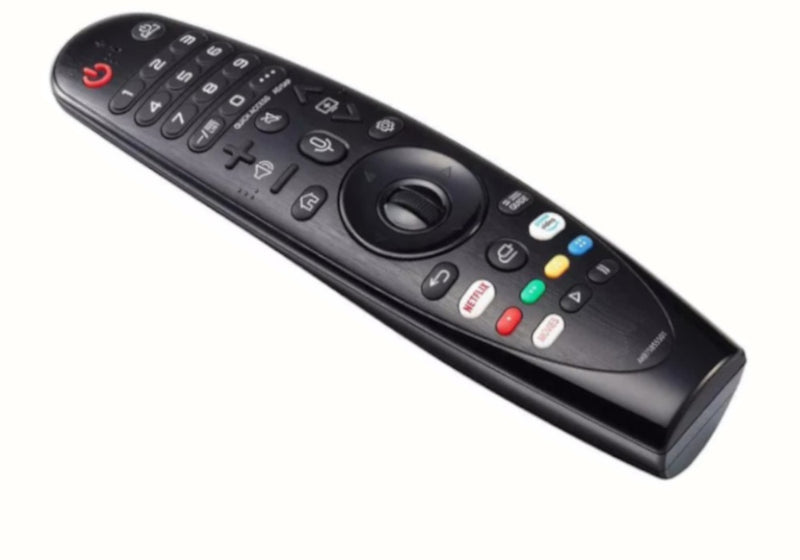
| LG Magic-style replacement | You specifically want features such as a pointer or wheel on a compatible LG TV. | The exact TV and remote compatibility; a standard LG replacement is a different choice. |
| Universal | You want one remote covering supported brands or devices. | The supported devices, setup method, available codes or search function, and any missing smart features. |
A familiar logo, similar shape or matching streaming-app button is not a compatibility guarantee. Compare the written specification as well as the pictures. Make a list of essential functions before comparing prices: a cheaper option may be suitable for basic control but unsuitable if you depend on voice search.
“No programming required” and “pairing required” describe different setups. Some standard replacements work immediately with compatible TVs once suitable batteries are fitted. Bluetooth or voice functions may need registration with the television. A universal remote may instead need a code or a brand-search procedure.
Use the instructions for the particular replacement and TV. There is no single button combination that pairs every remote. Samsung explains that alternative or universal remotes may offer fewer features than the original in its replacement-remote guidance. LG’s Magic Remote compatibility guide likewise distinguishes remote models and supported television generations.
Some remotes combine infrared and wireless functions. Working power control therefore does not prove that the wireless features are paired or supported. Check compatibility and the correct pairing instructions before concluding that either device is faulty.
Try suitable fresh batteries, check that they are fitted correctly, and make sure nothing is covering the TV’s infrared receiver. If only one button fails, note which one; if every button fails, record that too. These details make a support request more useful than “the remote does not work”.
A camera can sometimes show a flash from an infrared remote when a button is pressed. First confirm that the camera can detect a known-working IR remote. Some cameras filter out infrared, and some Bluetooth remotes use IR only for the power button. No visible flash alone does not prove the remote is broken. See Sony’s infrared test and its limitations.
Copy this into a note, print it, or use it when asking a seller to confirm compatibility.
You usually do not need to share the TV’s serial number for an initial compatibility enquiry. The full model code and a clear photo of the old remote are more useful starting points.
Our remote-control range includes different types of replacements. Start with the type you need, then check the particular product’s compatibility:
Need help before buying? Send the model code, the functions you need and, if available, a photo of your old remote to info@mmtrade.ie. Ask us to confirm the match before placing an order if anything is unclear.
Do not assume so. Some basic controls may be shared across models, while smart, voice and pointer features can require a specific compatible remote. Match the TV model and the functions you need.
No. It describes a remote designed for a range of supported devices. Check its compatibility list and setup instructions; support for a brand does not promise every feature on every model.
A photo helps, but include the TV model code. Similar-looking remotes can have different capabilities, and the remote previously used with the TV may itself have been a replacement.
No. A compatible replacement is an alternative designed for specified devices. Look for an explicit statement if you require an original manufacturer part.
Check your Fire TV device and remote reference before ordering a replacement. A practical compatibility checklist ...
One to fit, one to keep. Compare 1-pack and 2-pack glass screen protectors for iPhone and Samsung, including the €...
Compare MR20GA and MR24GA replacement remotes, find your LG TV model number and check compatibility before orderin...