LG MR20GA vs MR24GA: Which Magic Remote Fits Your TV?

Email : info@mmtrade.ie
For Urgent Matters Please Use Our CHAT
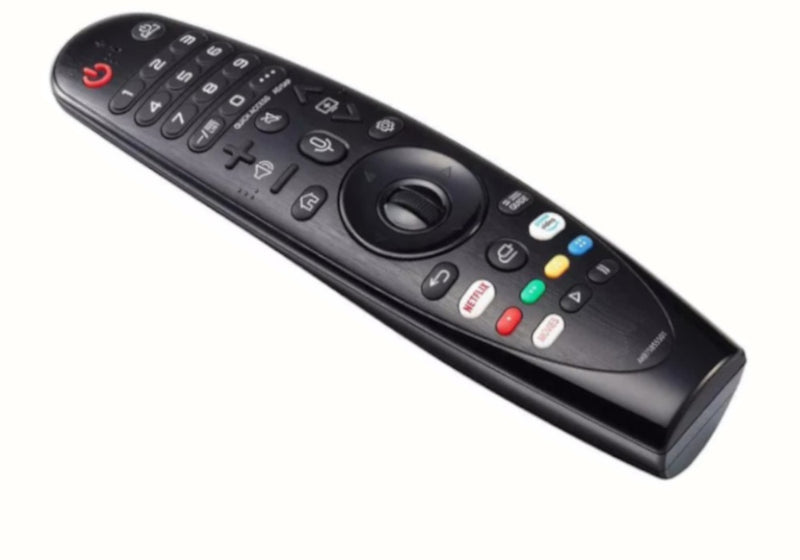
Choosing between an LG MR20GA and MR24GA replacement remote? Start with your television's full model number and the reference on your old remote, not just the shape of the handset. Both types offer Magic Remote features on supported TVs, but they should not be treated as interchangeable.
This guide helps you compare the two replacements available from MMTrade and check the details before ordering in Ireland.
| What to check | MR20GA replacement | MR24GA replacement |
|---|---|---|
| Reference in our listing | MR20GA / AKB75855501 | MR24GA / AKB76045002 |
| Listed functions | Voice, pointer and scroll-wheel control on supported TVs | Voice and pointer control on supported TVs |
| Before ordering | Match your TV model to the product's compatibility information | Match your TV model to the product's compatibility information |
| Setup | Pairing is needed for supported Magic Remote functions | Pairing is needed for supported Magic Remote functions |
For context, LG describes its original MR20GA as a remote for selected 2020-series televisions and its original MR24GA as a remote for selected 2024-series televisions. The year alone is not a compatibility check. Regional versions, complete model codes and the specific replacement listing still matter.
The products linked below are compatible replacements, not advertised as genuine LG-manufactured remotes. The LG references help identify the remote type being replaced.
Look for the model label on the back of the television. If you can still use the menus, LG also provides model information on screen; on some models the path is Settings > All Settings > Support > TV Information. Menu names vary between televisions.
Copy the entire model code, including its ending. “LG OLED” or “55-inch LG Smart TV” is not enough to select a replacement reliably. There is no need to send your serial number when asking us to check a remote.
Look for a model or part-number label on the old handset. Note whether it says MR20GA, MR24GA or another reference, and compare that with the replacement product page.
A remote that can turn a TV on is not necessarily a fully compatible Magic Remote. Check support for the features you use, particularly the on-screen pointer and voice control. These functions depend on the television, the replacement remote and successful pairing.
Do not choose MR24GA simply because it is the newer model number. Choose the replacement that is confirmed for your particular television.

Check MR20GA compatibility and availability

Check MR24GA compatibility and availability
Both listings currently offer Irish stock and free delivery in Ireland. Check the product page for current availability, price and delivery information.
LG's general pairing guidance is to turn on the TV, point the remote at it and press the centre wheel/OK button, then check for an on-screen pairing confirmation. For a compatible replacement, follow the instructions supplied with that handset; the procedure can differ.
If registration fails, check the batteries and the exact TV/remote match before repeating the setup. If basic buttons work but voice or pointer control does not, that is not proof that all Magic Remote functions are supported.
No. Being an LG Smart TV does not by itself establish compatibility. Check your full model number against the specific replacement listing.
Do not assume so from the model numbers or appearance. Ask us to check your TV before substituting one remote type for the other.
Send us the TV model number from its label or settings menu. If you have a photo of the original remote or its reference, include that too.
Email info@mmtrade.ie for help choosing a replacement. Include your full TV model number, the old remote reference if available, and whether you need voice and pointer functions. Checking first is easier than ordering the wrong handset.
LG's pages below describe original LG products and general setup guidance. They do not independently certify the compatibility of an aftermarket replacement.
Check your Fire TV device and remote reference before ordering a replacement. A practical compatibility checklist ...
Find the right replacement TV remote using your model code, required functions and a simple compatibility checklis...
One to fit, one to keep. Compare 1-pack and 2-pack glass screen protectors for iPhone and Samsung, including the €...